Santander UK Plc

Created a gamified approach to a new Customer Service app.

As Lead Digital Designer in

February - November 2016

(10 months) for Santander UK Plc.

A number of details have been redacted, due to contractual agreements and sensitivities.

Background

The bank had developed a CRM system which allowed for all front-line staff to view the communication between the business and the customer. All Staff to learn how to use the interface for the CRM system, and for an audit trail should be available for regulatory purposes.

The bank realised that the universal adoption and education of Staff was dependent upon it’s acceptance and adoption across the business.

Objectives

The purpose of the system was to ensure that 100% of UK branch and call-centre staff were able to use the new CRM sytem.

The training should be supportive of:

  1. Identification, orientation and commitment to mental models:
    1. Understand how to access and navigate the new CRM tool
    2. Be familiar with the look and feel of the CRM
    3. Understand what type of information is contained within the CRM
  2. Improved operation:
    1. Understand how the CRM will enable staff members to focus on doing the right things for their customers
    2. Understand how the CRM supports the Internal HR Model and behaviours
  3. Improved helpfulness:
    1. Understand how the CRM will improve experiences when engaging with customers
  4. Improved performance:
    1. Know how to use the CRM to improve the customer experience, for example when planning and preparing for an appointment
    2. Understand how to utilise the information available within the CRM to have better quality conversations with customers
  5. Improved efficiency:
    1. Understand how the CRM will save the staff member time in their daily role, help to reduce errors and improve the customer experience

Tool Outcomes

  1. A qualified standard of use for each User across the branch network
  2. Full adoption of the tool across the branch network

User Outcomes

  1. Understanding of the meaning and value of the tool
  2. Confidence and competency in its use
  3. Ability and capacity to carry out any assigned action using the tool to a specified standard

User Research

On the 7th July 2016, a day of scoping and interviewing staff members took place.

User Interviews

I interviewed 5 people within these groups, who told me about their competencies with digital technologies, times when they’d been able to use technology well to support their workflow, what a negative or unrewarding workflow might look like.

There were two types of end user, the Cashier and the Standalone / Specialist. Both users had a good level of competency, and both users Each user type had a different outcome in mind.

The Cashier had a transactional and specific customer-driven goal based upon a requirement from the customer who was in branch. The Cashier worked mainly from a Servicing Portal, and would therefore need an easy way to access it as part of the busy day-to-day workflow within a branch or in a call-centre.

The Specialist was someone who was a brand manager, and often had staff who reported directly to them. Their requirement was for a pick-up-and-put-down tool, which could be used intermittently, and to search for specific customers to make connections between product offerings for them.

The CRM Information Architecture

Because the learning system was designed to promote the learning of an existing interface, it was necessary for us to fully map all the potential actions and journeys within the existing system.

It was the intention to overlay the training on the real system itself, so as not to deliver an experience which was abstracted from the actual system they needed to learn.

[This schematic has been redacted]

Acceptance Criteria

In order to frame our delivery of the project, I defined high-level acceptance criteria in order to act as our ‘definition of done’.

Once we have fulfilled this criteria, we know that we have achieved high standard against the Objectives.

  1. Solution must be devised around the existing system, and promote high exposure to its appearance and its use (high autonomy).
  2. In order to ensure risk is low, and correction is high, there will be not punitive feedback, but only diagnostic and conformational.
  3. Allow for a level of Social Facilitation, interest in both individual versus individual (within branch), then wider for Branch versus Branch (if feasible).

Metrics

For the Specialist User group, it was necessary for activities to be tracked, so that they could flag when users weren’t reaching their goals, or people were falling behind. They could also reward those who had achieved great scores within the system.

  1. Timestamps for activity
    1. First activity
    2. Last activity
    3. Length of session
    4. Number of sessions
    5. Task times (badges for quick task)
  2. Reaching goals
    1. Number of goals outstanding
    2. Number of goals completed
  3. Measuring against other players­­­
  4. Measuring Branch aggregates against other Branches

Create Options: Gamification mechanics

The project objectives could most viably be fulfilled by a gamification model (as per Gray, Brown & Macaufano (2010): Gamestorming: A Playbook for Innovators, Rulebreakers, and Changemakers).  In accordance with the model, aligned with the requirement for training, I was keen to address the motivations of learning intrinsically, without too much reliance upon extrinsic rewards for the short-term.

I therefore focussed upon the priority actions to be taken (completing the tasks), and explored the potential for ‘wrapping’ the tool in a narrative which motivates the exploration and completion of tasks in a positive way.

The super-objective was to promote learning and use of the tool, without getting too distracted with what might be construed as gimmicks. Allowing for an appropriate balance of fun, and some low-level distraction (in order to evoke a sense of freedom) was considered without the focus being too heavy upon a points-based systems.

With this in mind, I provided a set of different game mechanics, each one themed around Santander’s brand, to fulfill the criteria outlined above.

All the routes provided below offer narratives to motivate and promote use of the tool, and also explore the potential for introducing competition. Once a consensus has been reached about the game narrative, in context with the options and elements addressed in this outline, the necessary assets will be produced for iteration 2.

So the following are the current game mechanics we suggest as being most appropriate:

Race mechanics:

Participants are involved in a Santander cycles, bike race. The key is to reach the finish (complete the tasks) before anyone else.

The known constraint on this route is the time of the participants, and we feel that busy participants should not be penalised for being busy.

Chase mechanics:

If a deadline for completion is pending, then we might consider a ‘chase’, in which participants are given a certain amount of time to complete objectives, but must do so within the allotted timeframe. Again, constraints for this are the fact that participants may rush through the lessons without learning, potentially being too fixated upon the ‘flight’ mechanism of the chase.

Collecting mechanics:

The participant collects gold coins (or any form of artefact) based upon achieving tasks. This allows for power-ups and badges, and might also take the form of ‘mining’ or ‘butterfly catching’.

Journey mechanics:

The overall super-objective is the main prize and focus, and the entire course is framed as a journey. In order to allow for difference in competition, it might be framed as a mountain. The participants must ascend the mountain, making use of ‘life-lines’ if the journey becomes too difficult, or taking easy, medium or hard routes up the mountain. The hard route would have no life-lines, fewer but more complex tasks, and hence greater value of points/coins/score is rewarded. The medium and easy routes would allow for life-lines, but the maximum points awarded are incrementally lower. A mountain offers a real sense of resistance as well as adding to the sense of achievement.

Solution (UI Design)

Upfront, I immediately listed the deliverables which would be needed for the game. Some of the assets I listed at the time were:

  1. Game Space assets: Arena/Race-track/Mountain etc
  2. Success assets: positive reinforcement, contextualised against the narrative (i.e. Completion of module: checked flag if a race, flag on summit if mountain; completion of achievements: rosettes, points, ticks, stars etc, also contextualised, such as ‘Sherpa badge’).
  3. Customer assets: Characterised customers, represented using graphical treatments (i.e. an image for ‘Mrs Penelope Smith’, an image for ‘Mr Joe Bloggs’ etc. A complete list of ‘dummy’ customers will need to be produced, so that a set of %%customer%% variables may be included within the system. We also anticipate the creation of derived characters, so that participants in the game will need to be judicious about their selection of the right one (for example, 3x John Smiths, but only one lives at ’72 Maple Drive’ etc). We shall produce an initial list, which can be agreed, then characterisations will be artworked.
  4. Leaderboards and Dashboards

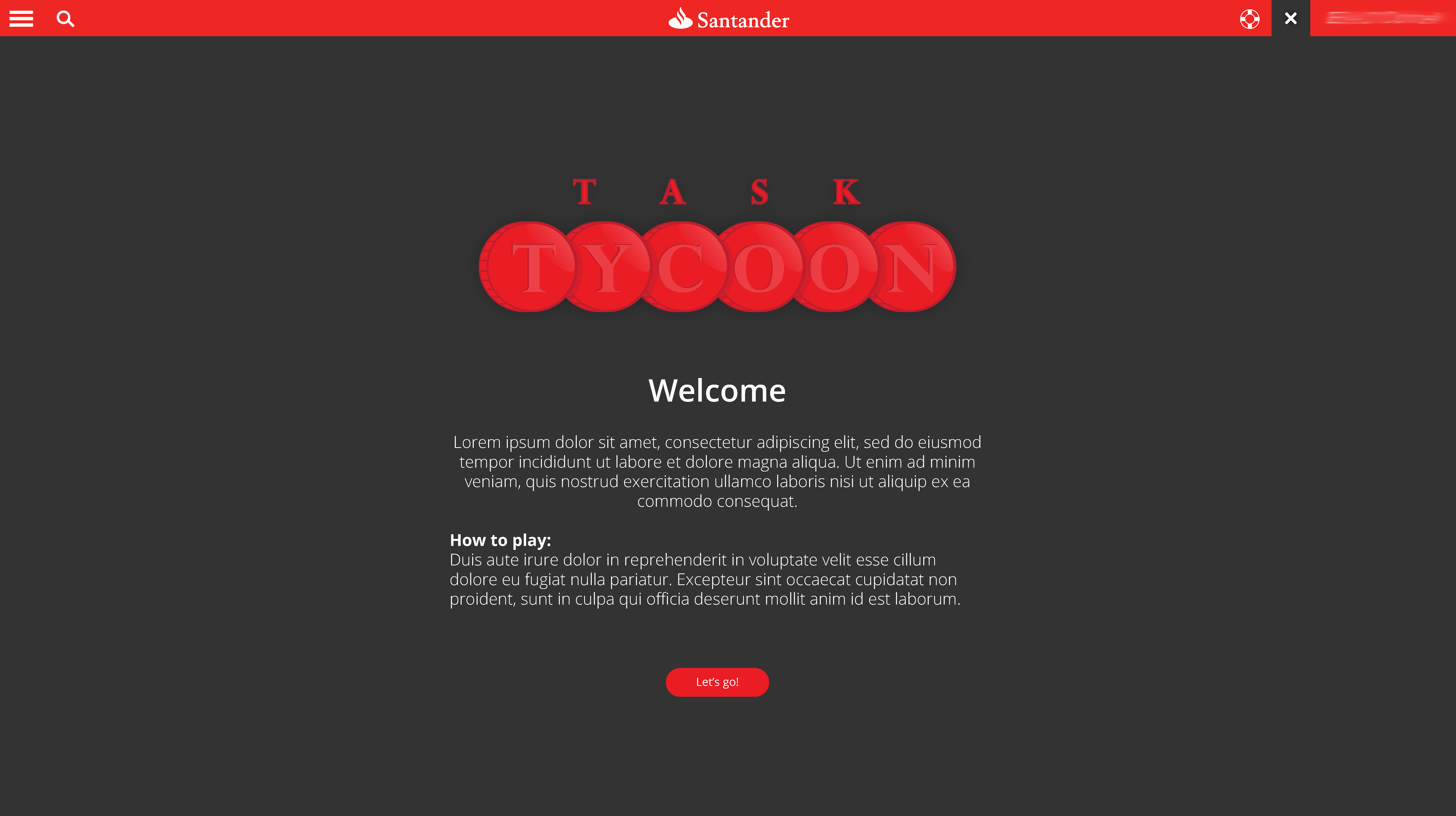
Welcome to Task Tycoon

The welcome screen was designed in order to explain the process, and also to set the tone for the experience. It was intentionally designed to look ‘fun’, and supportive of a sense of play and freedom. The CRM system was accessible as a ‘demo’ mode, and when the player/user wanted to play the game, they could access the rosette icon in the navigation bar at the top right of the screen.
Login to play

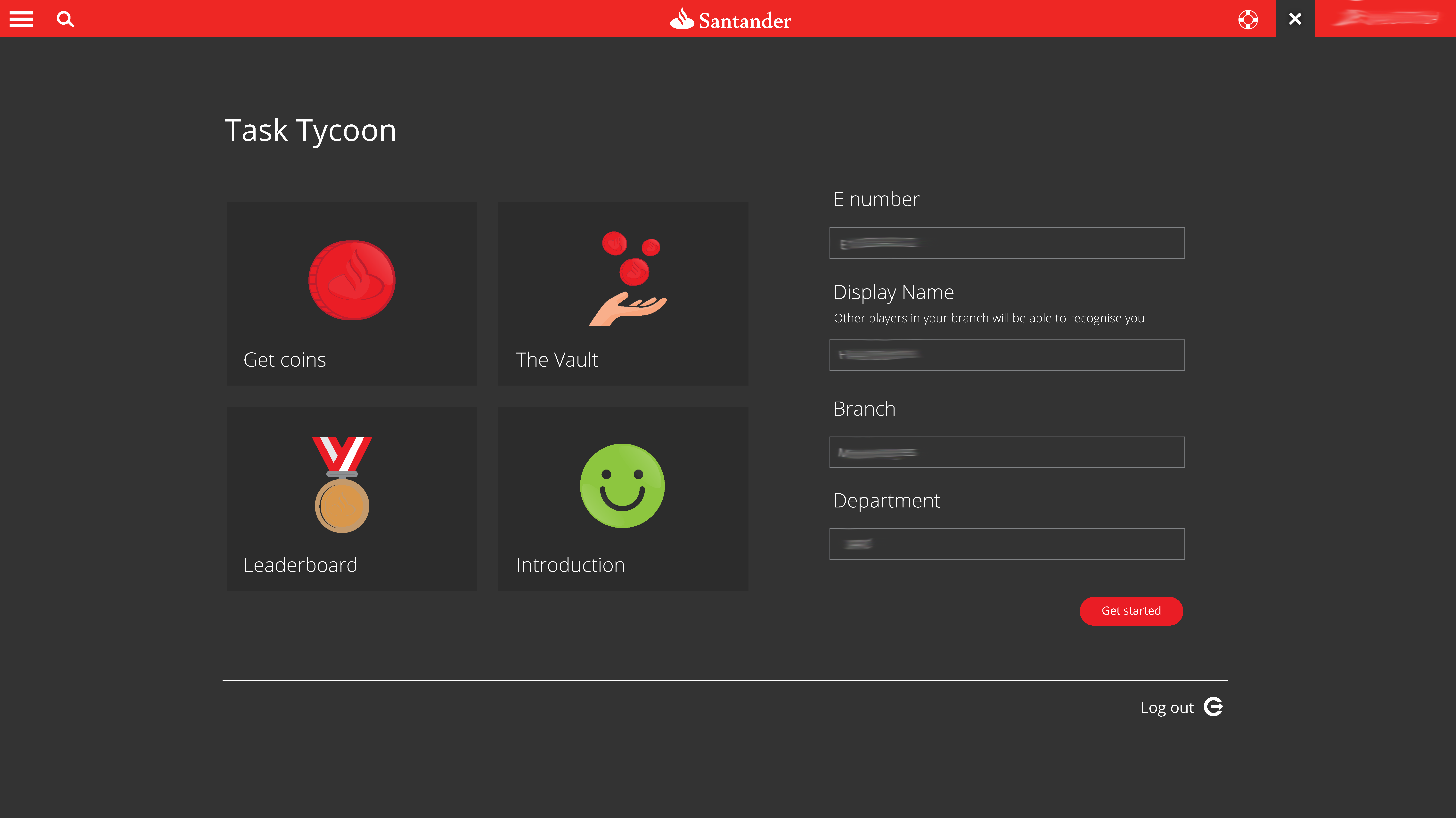
From the welcome screen, the user is then asked to login. This data collection process allowed the system to report on their useage, performance and which departments and branches were the highest performing.

There were 4 options, each one with it’s own bespoke iconography which was based upon Santander’s icon set, but designed to be playful and more tangible.
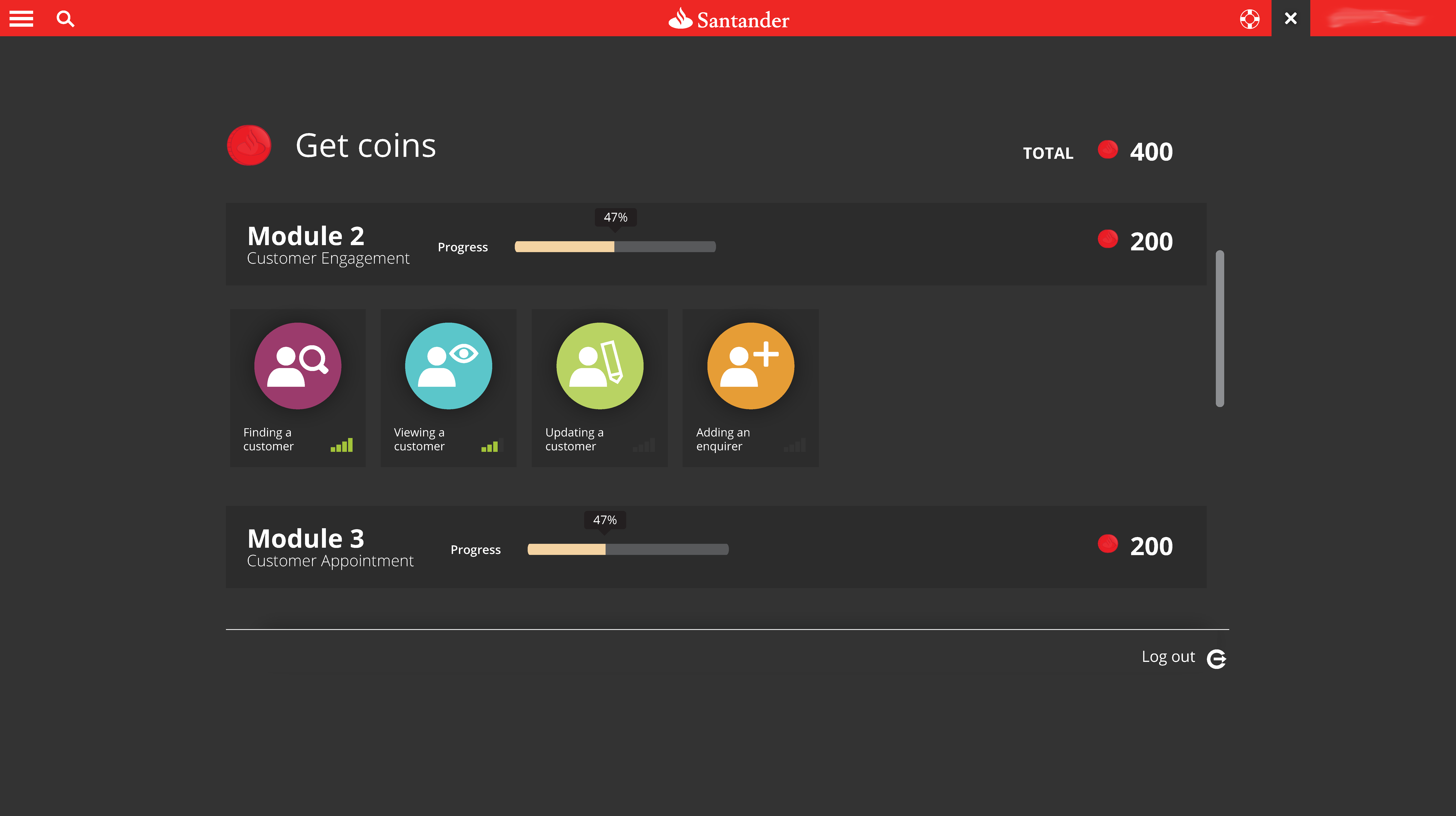
Get coins: Progress tracking

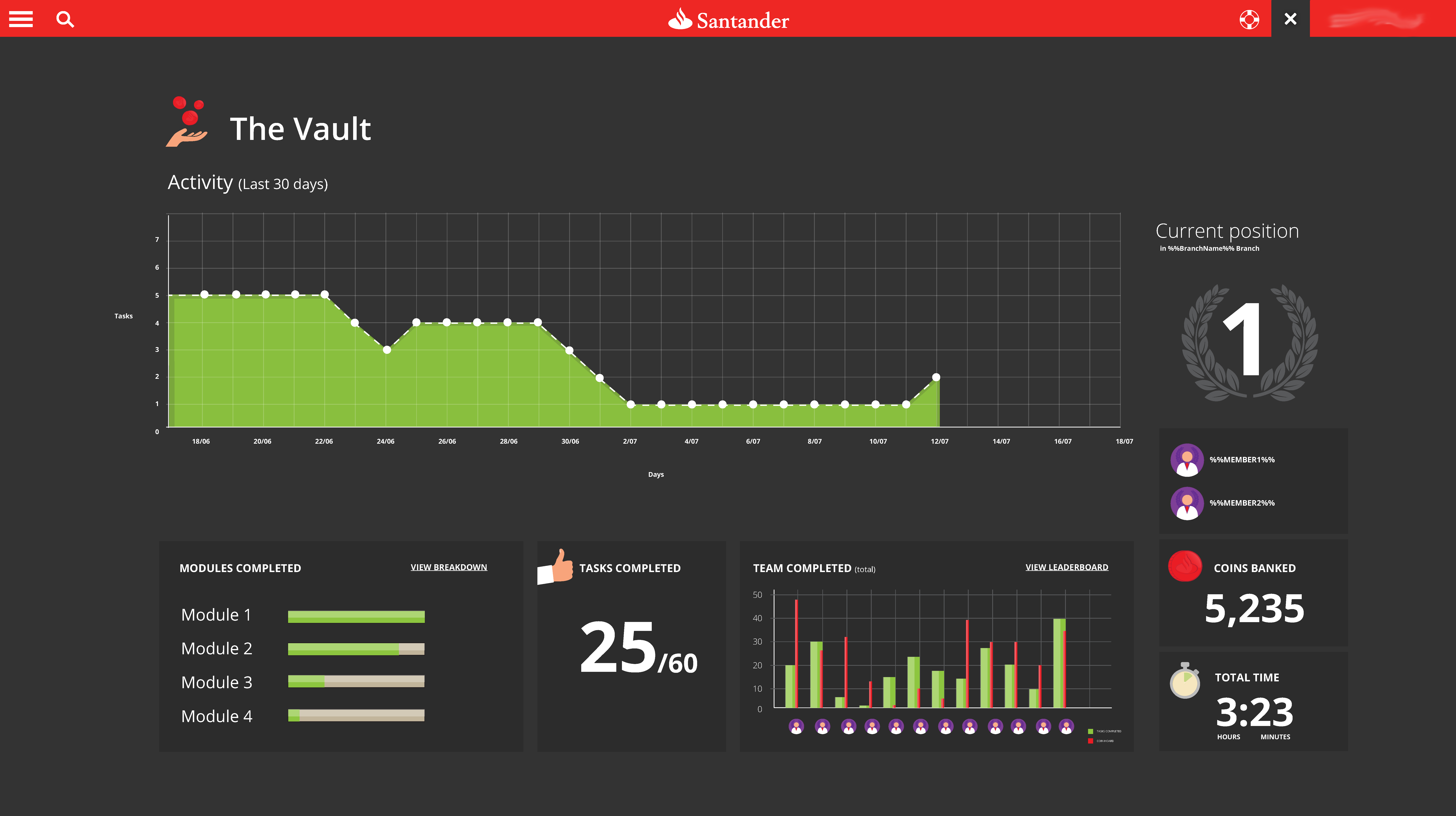
The main dashboard needed to show the user how many modules there were, and how many they had achieved so far. An achievement of a task allowed for the user to be given Coins. The coins were the users’ defined means of measuring success.

I designed 2 screens for this.

The first was an iconographic option, which also made use of cards within accordions. This route made the tasks feel more tangible, and each step more of an achievement than simply ticking off a line of text.
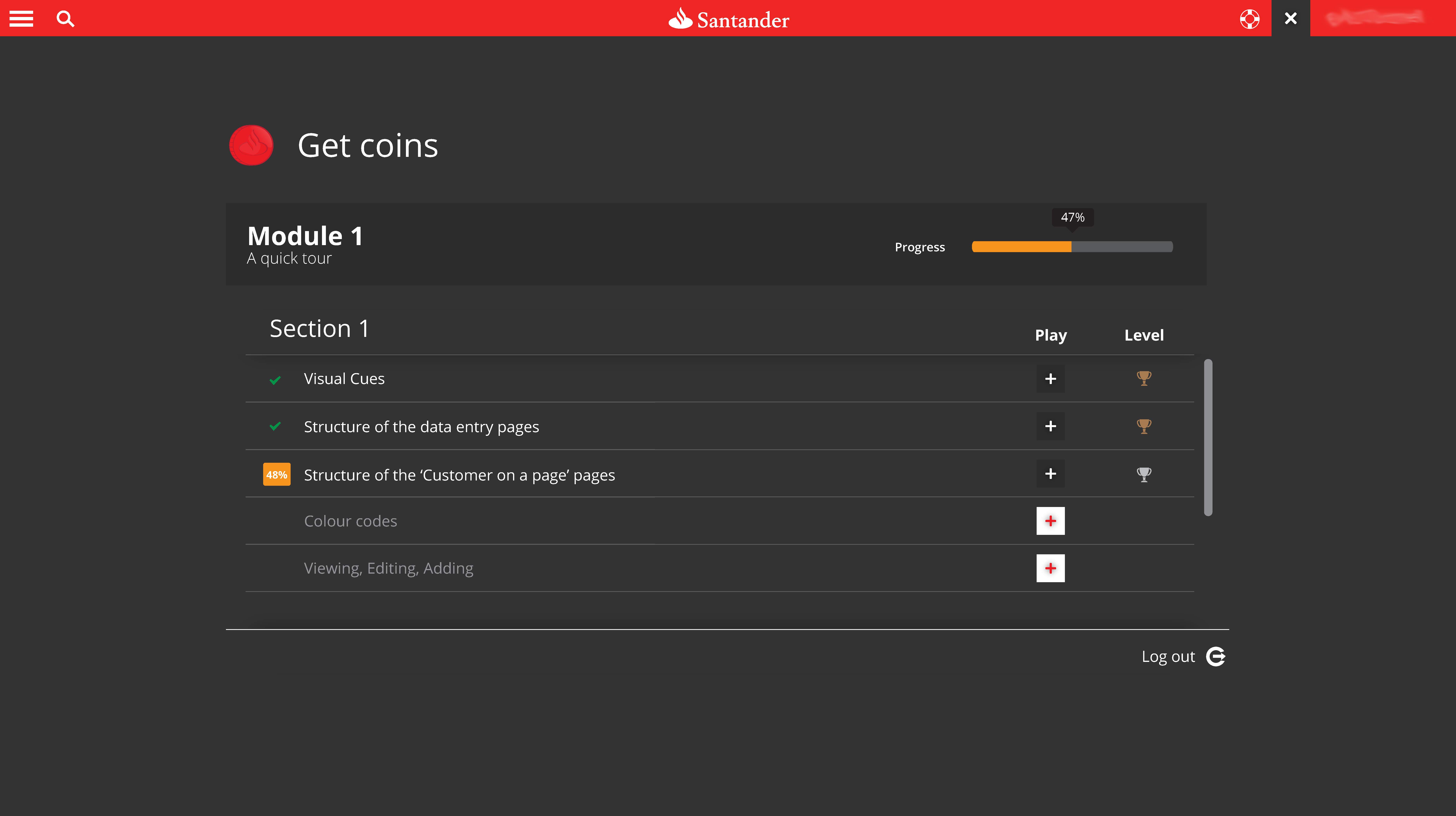
The second option was lines of text, but with positive reinforcement (the status was shown on the left-hand side of the label). New tasks could only be unlocked after playing the earlier tasks. These locked tasks followed a ‘disabled’ pattern, and also made use of a padlock symbol. Hovering over the padlock explained how to unlock that task.
Starting a task (i.e. playing the game)

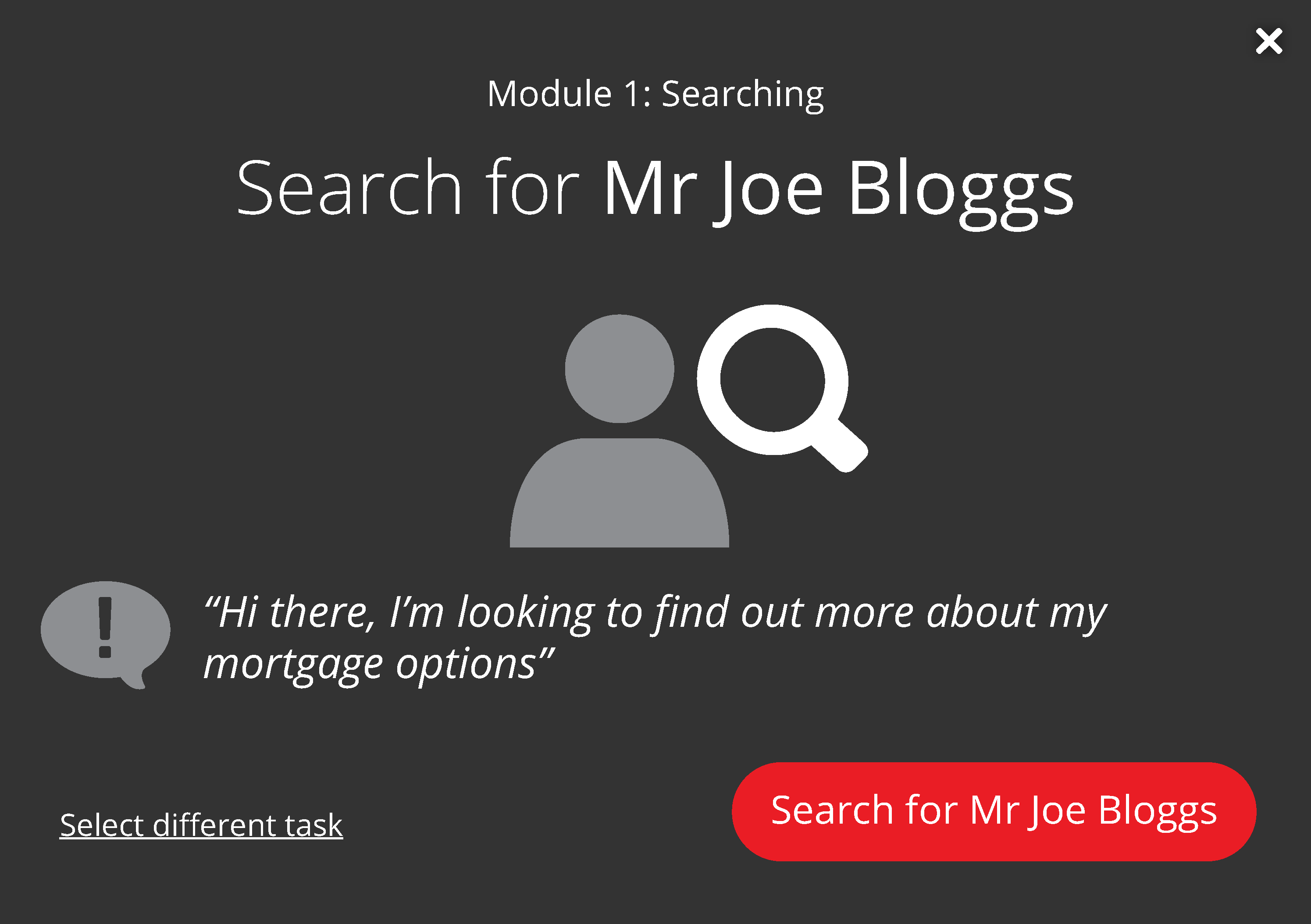
For each task, an introduction modal would appear to explain the task. The aim was to demonstrate the actual usecase in the form of a customer request. In order to offer a sense of direction and focussed attention on the task, the call-to-action also contained active language to ensure the task outcome was explicit and unambiguous.
Feedback loops

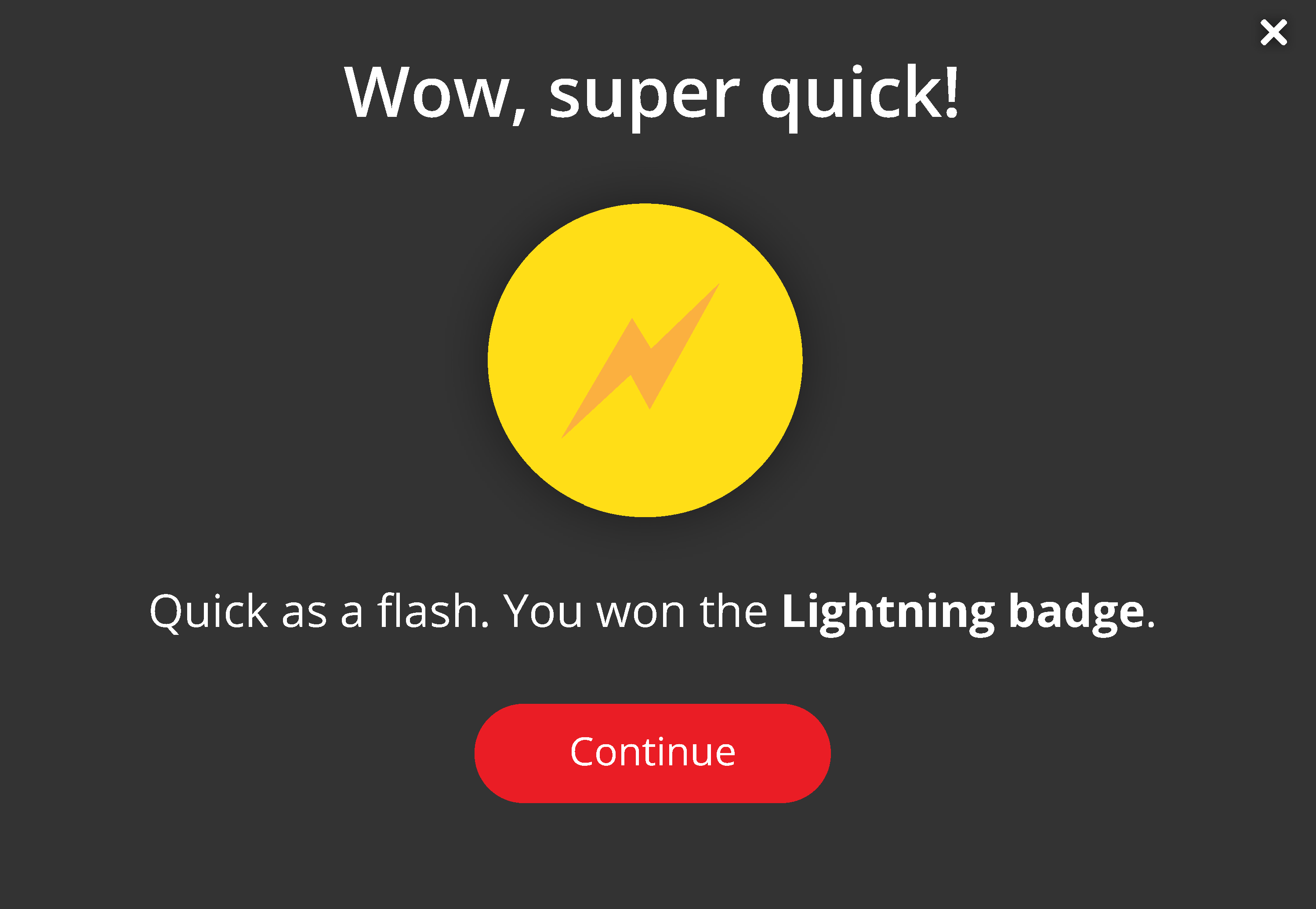
I designed a set of badges for a list of user action usecases. They were based upon perfect scores, quick times, and other achievements. Below is an example of the ‘Lightning badge’ which offered a sense of achievement, and a positive reinforcement for playing.
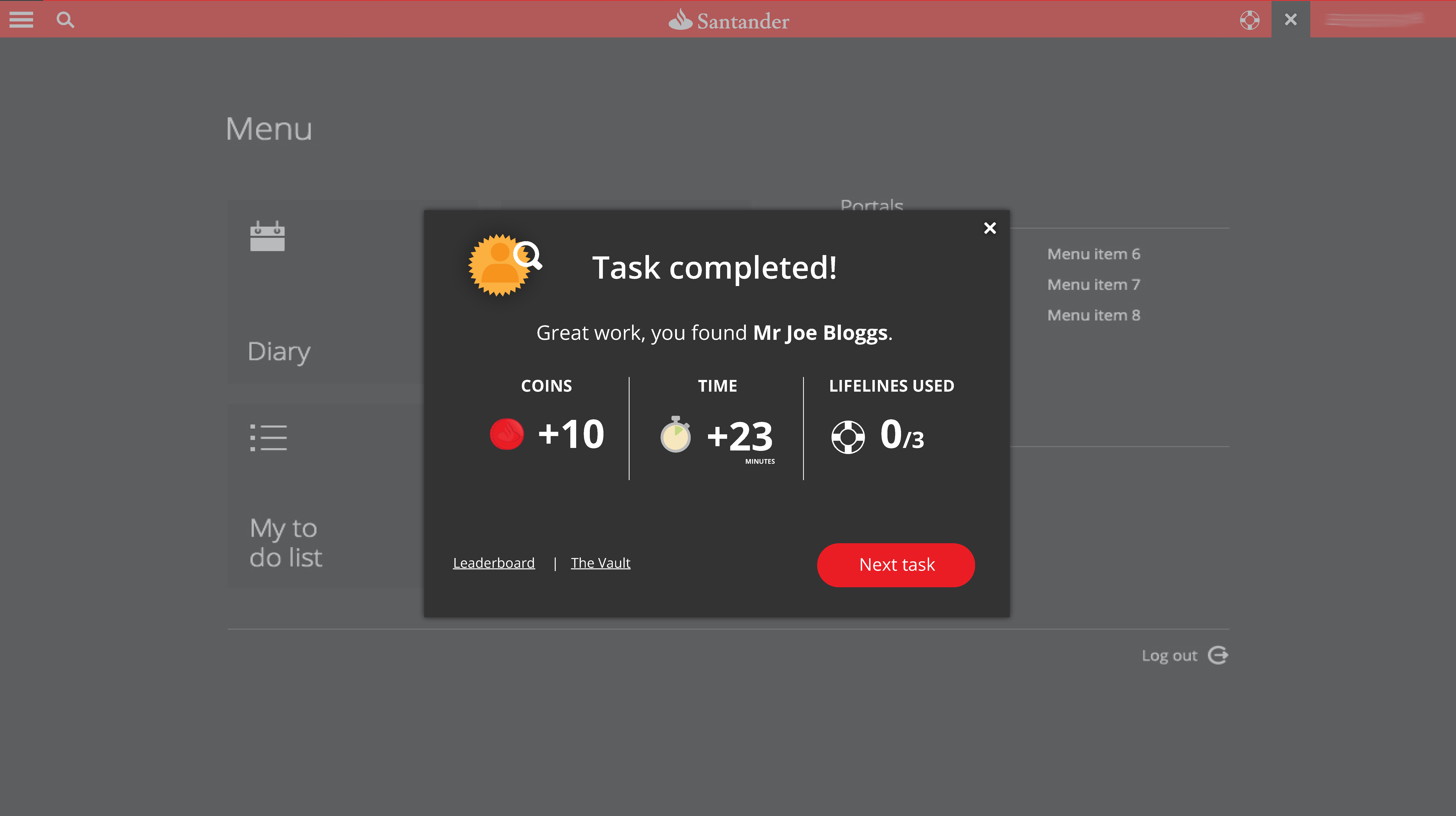
Task completed!
The Vault (Game dashboard)
Leaderboard

Social facilitation is one of the known drivers to achievement. Sportsmen tend to perform far better when competing directly against other athletes than in a time-trial scenario. With this in mind, I designed a leaderboard to offer a ranking of players according to tasks.
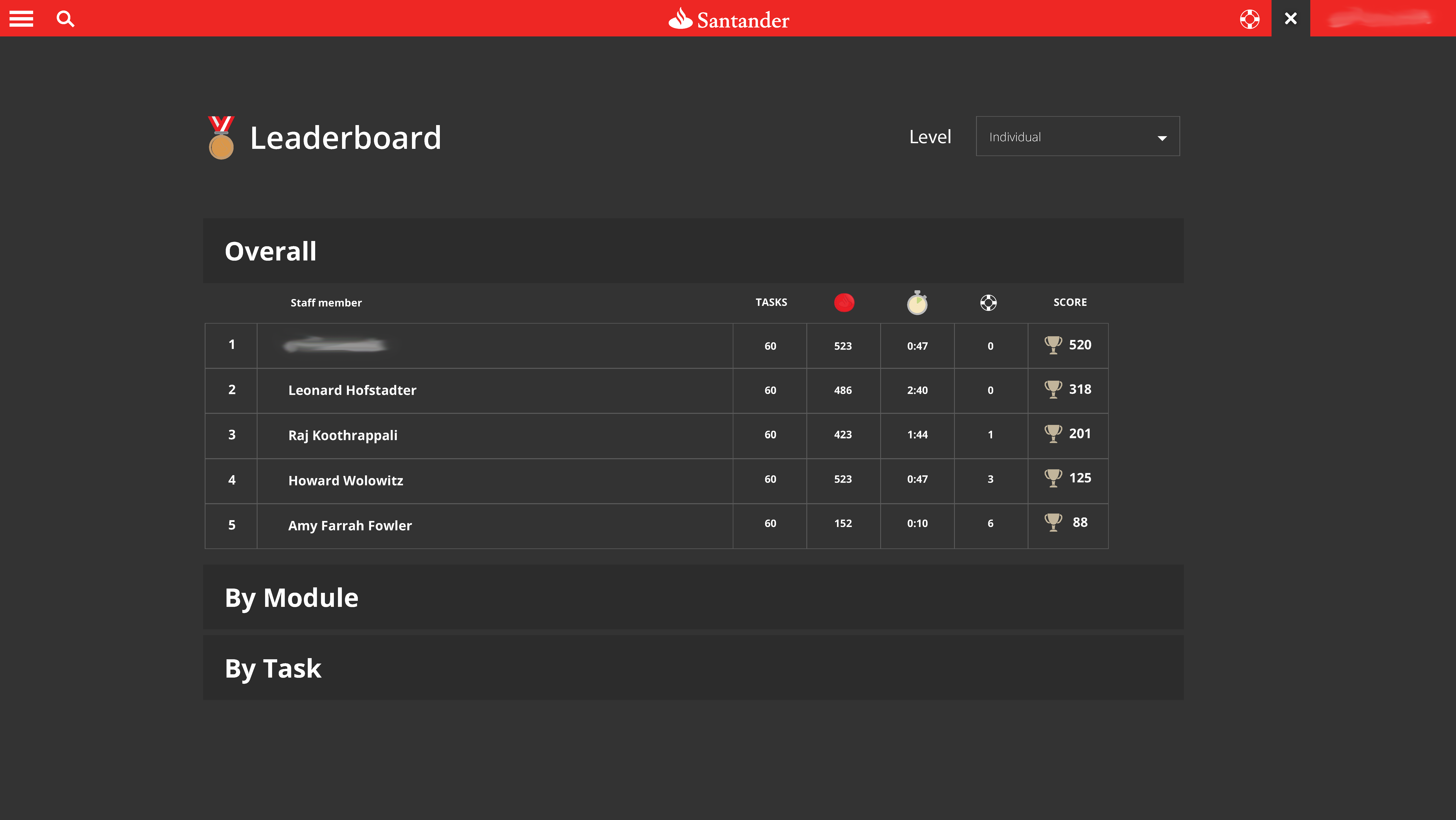
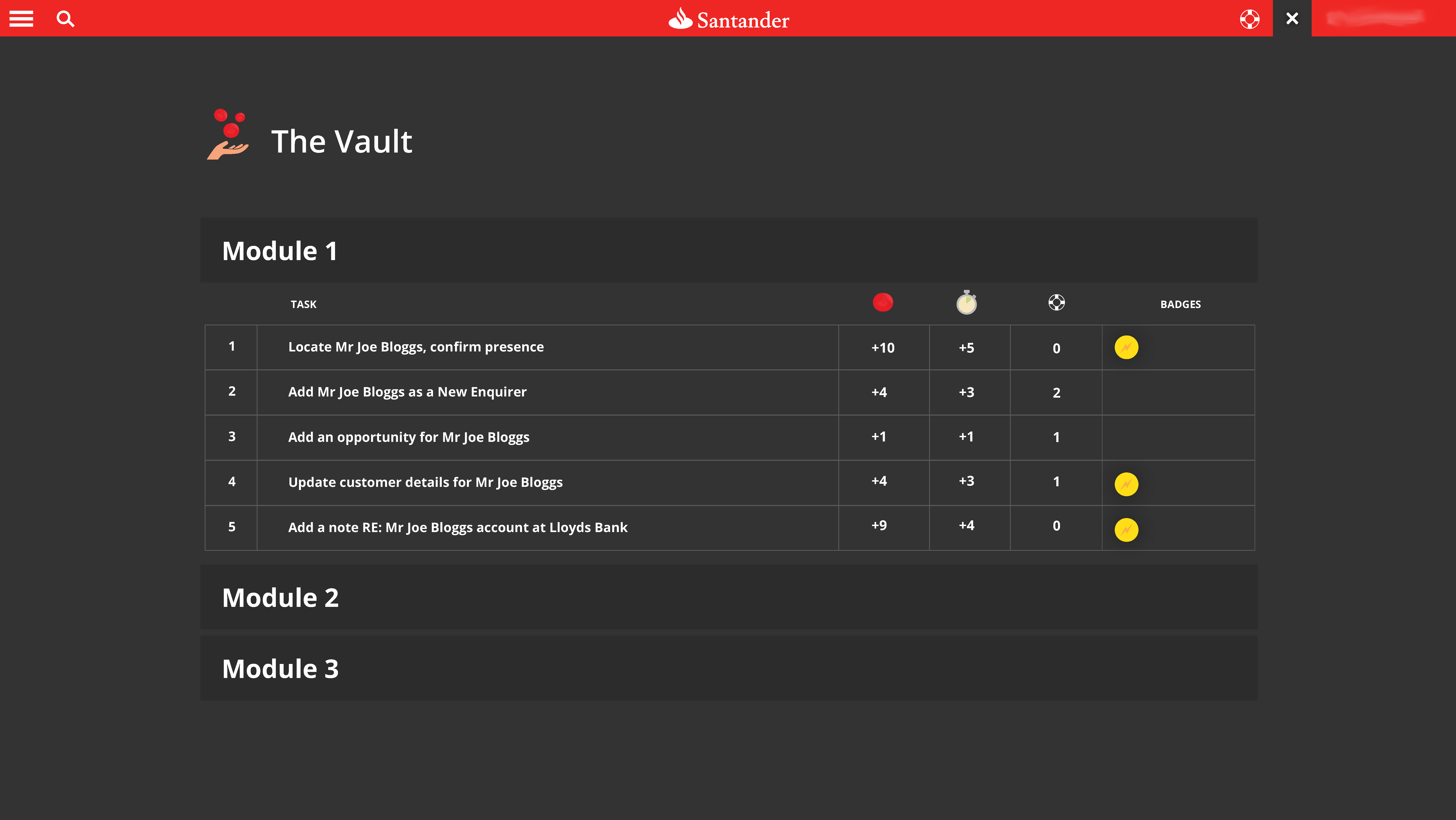
It was also possible for the user to view their own best achievements, ranked in terms of coins, number of tasks performed, time, and lifelines. The overall score was calculated to take into account latency and use of lifelines.

Penalising exploration was avoided, because when free action is penalised, it creates an inhibition to explore. Exploration was central to the project, and therefore we avoided anything which might inhibit that natural behaviour.

Conceptual iconography

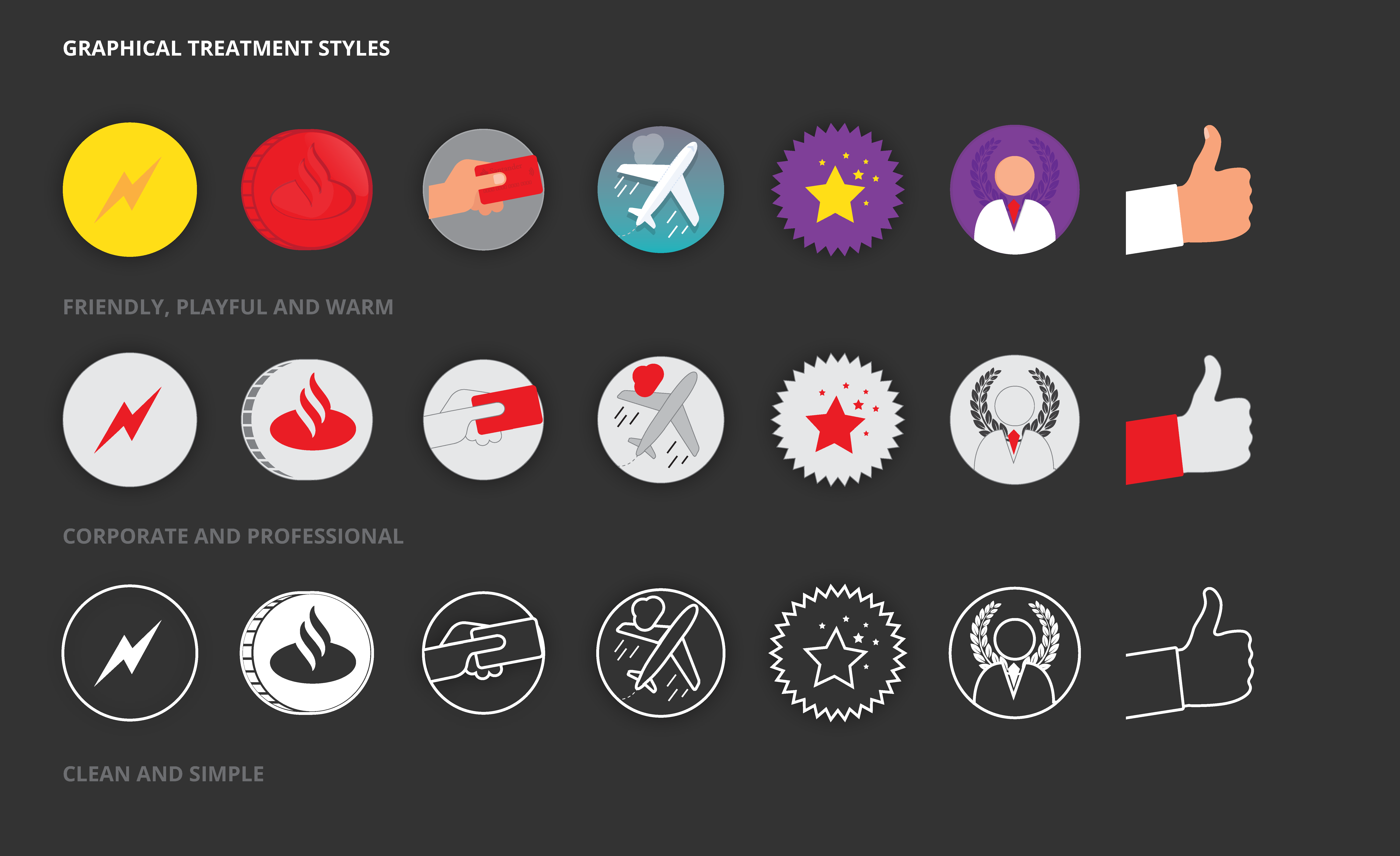
In order to be brand compliant, a number of routes and treatments of the icons were designed.

Because the requirement was for a sense of fun, and light-heartedness – I departed from the usual brand icons which are generally used across customer and internal comms. The version which suitable the objectives best was option 1, which were used across the system.

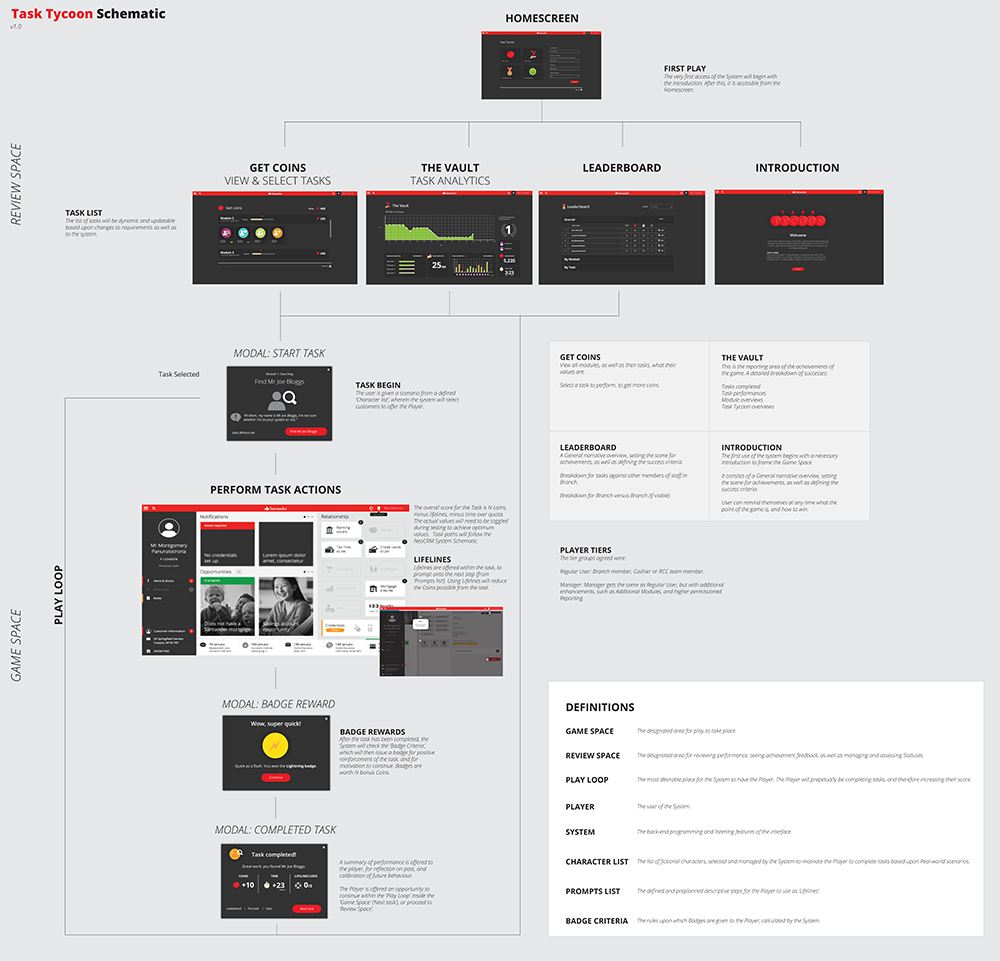
Information Architecture

Impact / Results

This project went live in November 2016. It was initially active for over 2 months.

During that time, the entire front-line members of staff in the UK used the system.

A survey of staff had over 2,500 responses from staff-members. Astonishingly, 100% of them were postive, 93% of those who played the training program passed within a few days (based upon the average training timespan).

The responses from those who used the training game were fantastic! A few of them are shown below…

Nice things people have said